

For many creators, the hardest part of video production is not the idea—it’s the execution.
You may have a script, a message, or even a voice recording, but no presenter, no studio, and no time.
This is where AI Lip Sync video generation is quietly transforming the way people create content.
Today, you can upload a video and match a new voice to it.
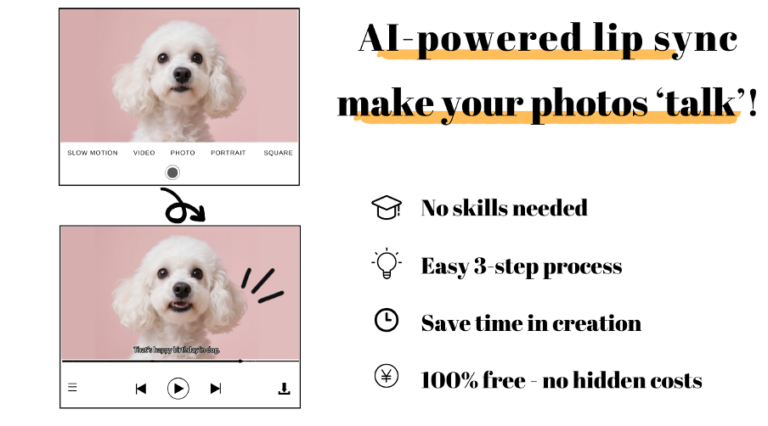
Or, if you don’t have a video at all, you can turn one single image into a talking character.
With nothing more than text, your idea can become a speaking, expressive video.
Let’s look at how people are actually using this technology in real life.
The Problem: You Have Content, But No “Face”
Many users start with one of these situations:
- A marketing team has a script, but no on-camera spokesperson.
- A teacher wants to explain a lesson, but doesn’t want to record themselves.
- A creator wants to tell stories, but prefers to stay anonymous.
In all these cases, the challenge is the same:
How do you make your content feel human without filming a real person?
AI-powered lip sync tools offer a new answer.
A Simple Workflow Anyone Can Use
Instead of complex editing software, the process is now based on intention:
1. Upload a Video or Image
You can start with:
- An existing video
- Or just a single photo
The system treats both as a “face” that can speak.
2. Add Your Voice or Text
Next, you choose how the character will speak.
You can:
- Upload an audio file
- Or type text and convert it into speech
Modern systems let you choose:
- Male or female voices
- Different ages and styles
- Adjustable speed and tone
This makes the voice sound natural and suitable for different audiences.
3. Generate the Lip-Synced Video
Once the audio is ready, the AI analyzes it and matches mouth movements, timing, and expressions to the speech.
The final result is a video where the face looks like it is truly talking—or even singing.
One platform that supports this full process, from image to voice to synced video, is this AI lip sync platform, which allows users to create speaking videos from photos, text, or existing footage in minutes.
Real-Life Use Scenarios
Creators Who Don’t Want to Be on Camera
Many TikTok and YouTube creators use AI lip sync to tell stories or explain ideas using virtual characters.
They can stay anonymous while still creating face-driven content that performs better than text or slides.
Educators and Online Coaches
Teachers turn a single portrait into a virtual instructor.
Instead of recording every lesson, they simply change the script and voice, then generate new lip-synced videos for different languages or levels.
Small Businesses and Marketers
A product photo becomes a talking presenter.
The same message can be localized by switching the voice language, without re-recording.
Storytellers and Game Designers
Writers and developers bring characters to life by giving them voices and expressions—without complex animation software.
Why AI Lip Sync Feels So Natural
Unlike traditional animation, AI lip sync focuses on:
- Timing between sound and movement
- Subtle facial expressions
- Natural speech rhythm
This makes the video feel less robotic and more emotionally engaging.
Viewers are more likely to watch, remember, and respond.
The Shift from Tools to Experiences
The real power of AI lip sync is not just automation—it’s accessibility.
You no longer need:
- Cameras
- Actors
- Studios
You only need:
- A photo or video
- A script or voice
- And an idea
From there, AI handles the rest.
Conclusion: From Text to Talking in Minutes
AI lip sync technology is changing how people create.
It turns ideas into speaking visuals, removes technical barriers, and opens video creation to anyone.
Whether you start with a video, an image, or just words, your content can now speak—literally.
And as this technology continues to evolve, it will redefine how stories, lessons, and messages are shared across the world.

0 Comments