

Building a personal brand on LinkedIn is no longer just a “nice to have”—it is a career insurance policy. Whether you are a founder, a freelancer, or a corporate climber, your digital reputation precedes you. But here is the harsh reality: maintaining a high-quality LinkedIn presence is a full-time job.
Between ideating topics, writing compelling hooks, designing visuals, and engaging with comments, the “consistency is key” advice often feels like a recipe for burnout. You know you need to post, but you have actual work to do.
This is where AI steps in. Here is how you can use AI to automate the heavy lifting of your personal brand while keeping the “personal” part intact.
Why Text Is No Longer Enough
For a long time, LinkedIn was a text-first platform. A simple “bro-etry” style post could go viral with zero imagery. Those days are fading fast. The platform is becoming increasingly visual. Carousels, videos, and high-quality images are prioritized by the algorithm because they stop the scroll.
However, most professionals are not graphic designers. They resort to generic stock photos (shaking hands, blue backgrounds) that scream “corporate boredom,” or they spend hours in design software trying to make something decent.
This is where you need a visual partner that works as fast as you think.
Your New Creative Team: Pollo AI
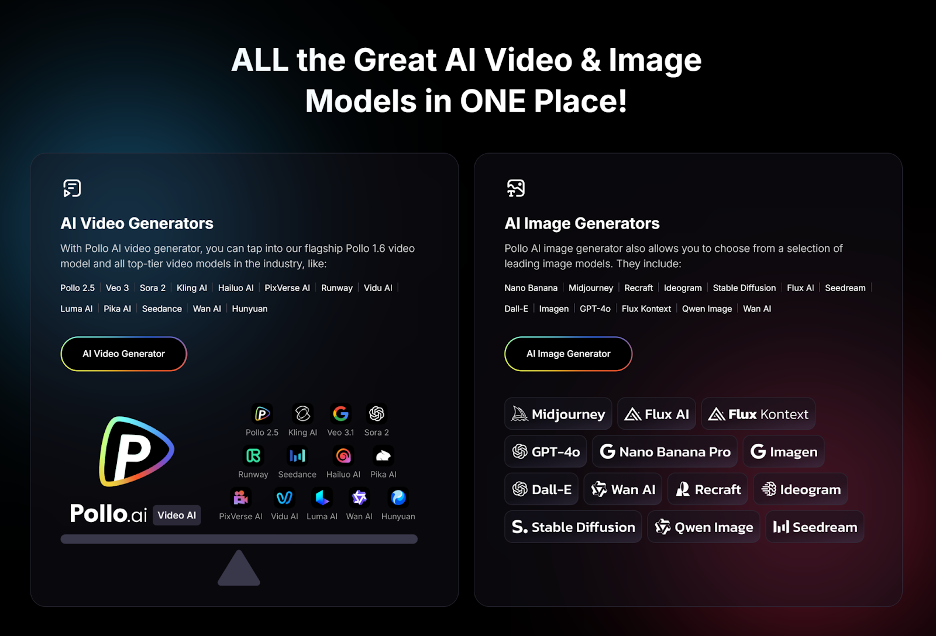
If you are looking to automate your visual strategy, you need more than just a basic image generator. You need a suite of tools that functions like a creative department. This is where Pollo AI shines.
Think of Pollo AI not just as a tool, but as an all-in-one agency in your pocket. It consolidates the fragmented workflow of content creation into a single platform. Instead of jumping between a video editor, a photo generator, and an animation tool, you have everything under one roof.
Mastering Consistency with Image-to-Image
One of the biggest challenges in personal branding is consistency. You want your audience to recognize your style instantly. Standard AI generators are often random—you might get a cartoon style one day and a photorealistic one the next.
Pollo AI solves this with its powerful Image to Image AI. This is a game-changer for personal branding.
- The Workflow: You can upload a reference image—perhaps a photo of yourself, a sketch of a concept, or a specific color palette you use—and use that as the foundation for new content.
- The Benefit: This allows you to generate fresh visuals that still “feel” like you. You can take a simple headshot and use the Image-to-Image feature to place yourself in different professional settings or artistic styles without losing your likeness. It bridges the gap between random AI generation and controlled brand identity.
Stopping the Scroll with Image Animation
Static images are great, but motion is magnetic. Sometimes you don’t have the time to record a full video, but you need something more dynamic than a photo.
Pollo AI includes an image animator, a tool that breathes life into static pictures. You can take a generated image of a futuristic workspace or a data visualization and add subtle, looping motion. This creates a “pattern interrupt” in the LinkedIn feed. When a user is scrolling past hundreds of static posts, that slight movement catches the eye, increasing your dwell time and engagement rates.
Creation on the Commute
The best ideas often strike when you are away from your desk. Pollo AI understands the modern workflow and offers a dedicated mobile app. This means you can generate that perfect image or animate a graphic while you are in an Uber or waiting for your coffee. It removes the friction of “I’ll do it when I get back to the office” (which usually means it never gets done).
Automating the Ideation Process
Once your visual engine is running with Pollo AI, you need to streamline the writing process. The goal here isn’t to have ChatGPT write your posts entirely—readers can smell generic AI writing from a mile away.
Instead, use AI for structure and repurposing.
- Voice Memos to Posts: Record a 2-minute voice note of your thoughts on a specific industry trend. Transcribe it, and feed it into an LLM (Large Language Model) with the prompt: “Turn this transcript into a LinkedIn post with a strong hook, keeping my conversational tone.”
- The “Counter-Point” Strategy: Ask AI to play devil’s advocate. Input a popular opinion in your industry and ask the AI to generate three arguments against it. This helps you create contrarian, high-engagement content without staring at a blank page.
The Engagement Loop
Automation shouldn’t stop at posting. While you should never automate your comments , you can use AI to prioritize who to engage with.
Use AI tools to analyze your network. Identify the top 20 voices in your niche who are active. Set up a system where you are notified when they post. Your “automation” here is the process of listening, ensuring you are the first to add a valuable, human comment to their discussions.
Conclusion
The ultimate guide to automation comes with a warning: Efficiency is not the same as effectiveness.
You can automate the image generation with Pollo AI. You can automate the drafting of your text. You can automate the scheduling. But you cannot automate the soul of your brand.
The 20% that must remain manual is your personal story, your vulnerability, and your genuine interactions in the DMs. Use AI to clear the clutter from your schedule. Use the time you save on design and drafting to have real coffee chats (virtual or physical) with the leads that come in.
By building a system that leverages powerful all-in-one tools like Pollo AI for visuals and LLMs for structure, you transform LinkedIn from a time-sink into a lead-generation machine that runs in the background of your career.

0 Comments