
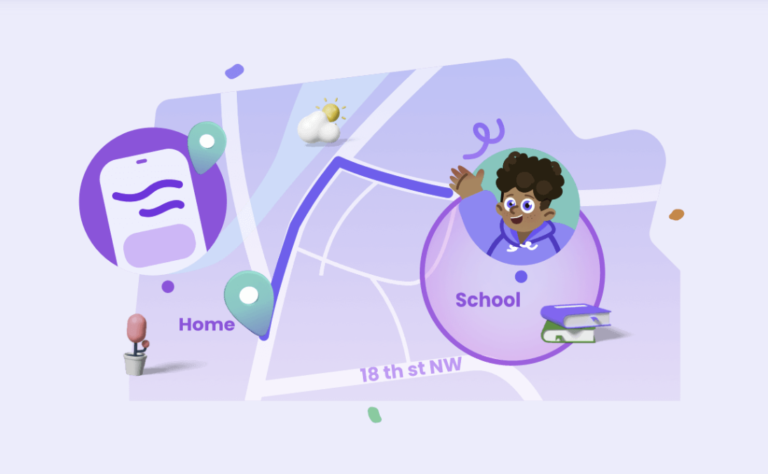

As the 2026 spring semester kicks off in France, a pressing concern looms large for families: 75% of parents report worrying about their children’s safety during the “last kilometer” of their school commute. This “last kilometer”—the stretch between the bus stop, the train station, or the school gates and the front door—is often where children are most vulnerable to distractions, traffic hazards, or getting lost.
For these caregivers, AirDroid Parental Control’s innovative ritualized safety feature suite offers a tailored, reliable solution to ease these anxieties. By turning safety into a series of predictable, engaging rituals rather than a list of chores, we can bridge the gap between independence and security.
The Changing Landscape of the School Run in 2026
The world has changed significantly over the last few years. Urban environments are denser, and while technology has made us more connected, it has also introduced new layers of distraction for walking students. In France, the push for “soft mobility” means more kids are biking or walking than ever before. While this is great for health and the environment, it puts the burden of navigation squarely on the child’s shoulders.
Using the best family tracking app isn’t about being a “helicopter parent.” It’s about creating a digital safety net that allows your child to feel the wind in their hair and the pride of walking home alone, while you have the peace of mind that they are exactly where they are supposed to be.
1. The “Invisible Guardian” Location Tracking Ritual
The first ritual is all about passive awareness. Instead of checking your phone every thirty seconds, make it a habit to glance at the map only at a specific “checkpoint” time on AirDroid Parental Control. This creates a rhythm for you and ensures you know exactly where they are without needing to interrupt their walk. It’s the digital equivalent of watching them walk to the end of the driveway, extended across the entire neighborhood. This ritual respects the child’s space while keeping the parent informed.
By checking in at predetermined times—perhaps when you finish your last afternoon meeting—you turn location tracking into a scheduled habit rather than an obsessive worry. It allows the “Invisible Guardian” to do its job in the background, ensuring the route is being followed without the child feeling like they are being micro-managed.
2. The Arrive/Leave Alert Ritual
Automation is a parent’s best friend. This ritual involves setting up “Geofences” on AirDroid Parental Control around the school and your home. You don’t need to manually check the app; instead, you receive a gentle ping when they exit the school gates and another when they step onto your street. It’s a hands-free way to stay informed, allowing you to focus on your work or chores until you get that “Safe at Home” notification.
This ritual removes the “did they leave yet?” guesswork. When that notification hits your phone at 4:15 PM, it signals the start of your own transition from work mode to parent mode. It’s a digital handshake that confirms the journey has begun and ended successfully, making the “last kilometer” a transparent part of the day.
3. The Emergency Remote Camera Check-In Ritual
Sometimes, a dot on a map isn’t enough to settle the nerves. This ritual is reserved for those “just in case” moments—like if your child is taking longer than usual or the weather takes a turn. By remotely accessing the device’s camera, you can get a quick visual of their surroundings with AirDroid Parental Control. It’s a powerful parental control tool for context, ensuring they aren’t stuck in the rain or lost in a crowd, providing instant visual confirmation.
Imagine there is an unexpected parade or roadwork on their usual path. Instead of calling and adding to their confusion, a quick 10-second visual check-in tells you they are just navigating a crowd. This ritual provides the “why” behind the “where,” giving parents a real-time window into their child’s environment when traditional communication might be too slow or distracting.
4. The SOS Trigger Ritual
Empowerment is the best safety feature. Teach your child the “SOS Ritual”—a specific set of actions on their phone that sends an immediate, high-priority alert to your device. Practice this once a month so it becomes muscle memory. Knowing they have a “panic button” that bypasses silent modes and reaches you instantly gives them confidence and ensures that if something does feel wrong, they aren’t fumbling with contact lists.
This feature on AirDroid Parental Control is more than a technical feature; it’s a psychological safety blanket. When a child knows exactly how to reach help in three seconds, they walk with more confidence. The ritual of practicing the SOS trigger ensures that in a moment of genuine stress, the child doesn’t freeze—they act. It’s about turning a potential victim into a proactive participant in their own safety.
5. The “Battery Check” Afternoon Sync
A safety tool is only as good as its power source. One of the most common points of failure in the school-home commute is a dead phone battery. This ritual involves a quick remote check of your child’s battery levels around 2:00 PM. If the battery is dipping below 20%, a quick automated reminder or a text to “plug in during the final period” ensures the device stays alive for the trek home.
Setting this as a daily ritual prevents the panic of a “Location Unavailable” message. It teaches children responsibility regarding their devices and ensures that the digital bridge you’ve built remains standing until they walk through the front door.
Why “Rituals” Beat “Rules”
Rules are often seen by children as something to be broken or bypassed. Rituals, however, are shared family habits. When you frame safety as a ritual, it becomes part of the family culture.
- Trust Building: By using location tracking as a background ritual, you show your child you trust them to handle the commute, but you’re there if they need you.
- Predictability: Children thrive on routine. Knowing that Mom or Dad gets a “ping” when they leave school makes the transition feel official and safe.
- Reduced Friction: Automated alerts mean fewer “Where are you?” texts, which reduces the digital friction between parents and independent-minded pre-teens.
The Last Kilometer: A Milestone of Growth
In the French school system of 2026, independence is highly valued. The walk home is often the first time a child is truly on their own. It’s a milestone. By implementing these five rituals, you aren’t taking away that milestone; you’re reinforcing it. You’re providing the infrastructure that allows them to fail safely—to take a wrong turn and find their way back, or to stop and look at a cool storefront, knowing that they are never truly alone.
The 75% of parents who worry aren’t being over-anxious; they are reacting to a real increase in environmental complexity. But anxiety shouldn’t dictate a child’s freedom. With the right tools and a consistent set of rituals, that “last kilometer” can transform from a source of stress into a highlight of their day—and yours.
Keeping the Conversation Open
Technology is the foundation, but communication is the roof. Every few weeks, sit down with your child and look at their routes together. Ask them if there are parts of the walk that feel “spooky” or where the traffic is too fast. Use the data from your tracking app to have a real conversation about safety.
“I noticed you took the shortcut behind the park yesterday—how was the lighting there?” is a much more productive conversation than “Why weren’t you on the main road?” These rituals provide the data, but you provide the wisdom.
Final Thoughts on Modern Commuting
We can’t be with our children every second of the day, and frankly, they wouldn’t want us to be. The goal of parenting is to eventually work ourselves out of a job. By using these creative rituals of AirDroid Parental Control, you are training your child to be aware of their surroundings, to value communication, and to understand the importance of a safety plan.
As the spring semester continues and the days get longer, let these rituals become second nature. Let the technology handle the “tracking” so you can focus on the “parenting.” When they walk through that door at the end of the day, the only thing you should have to worry about is what they want for a snack.

0 Comments