


Gamma App is popular because it helps users create clean and modern presentations fast. It is especially good for web-style decks, online sharing, and visual documents.
But not every user wants a web-style presentation. Many business users still need traditional PPT-style decks that are easy to edit, export, present, and share in real work settings.
If you need a pitch deck, business report, client proposal, sales deck, or marketing presentation, you may want a Gamma alternative that gives you better structure, more PPT control, or stronger business workflows.
Here are the best Gamma App alternatives to consider.
1. Dokie AI
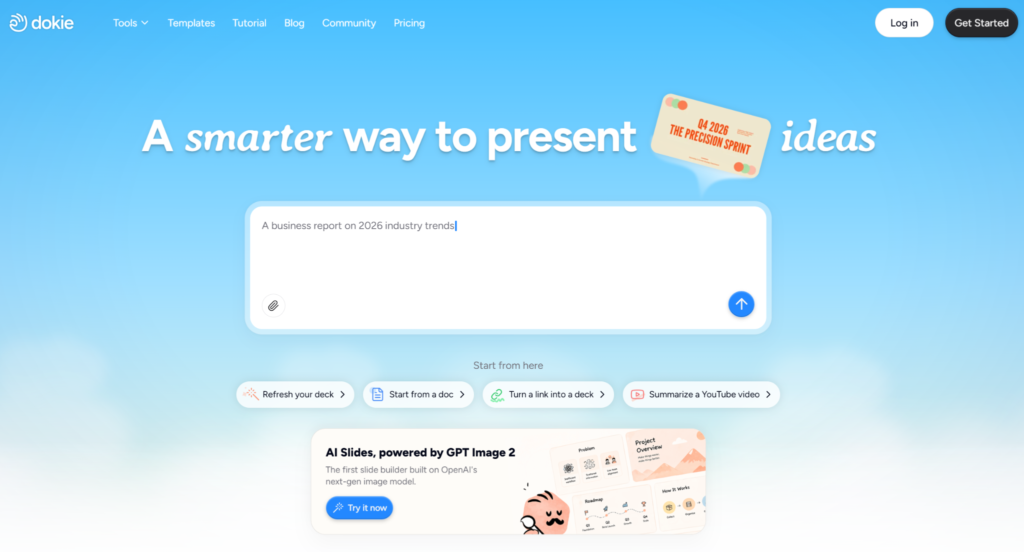
Dokie AI is the best Gamma App alternative for users who need structured, editable, and business-ready PPT presentations.
Gamma is great for modern online decks, but Dokie AI is more focused on traditional presentation use cases. It helps users turn ideas, notes, documents, or rough content into professional PowerPoint-style decks.
This makes Dokie AI useful for business reports, pitch decks, client proposals, marketing plans, product presentations, sales decks, weekly reports, monthly reviews, and strategy decks.
The main strength of Dokie AI is structure. A business presentation is not only about looking good. It needs a clear flow. A report needs summary, key results, analysis, problems, and next steps. A pitch deck needs problem, solution, market, product, traction, and business model. A client proposal needs context, solution, scope, timeline, and expected value.
Dokie AI helps users create decks around these real business scenarios, not just visual pages.
Dokie AI also supports GPT Image 2, which improves the quality of generated slide visuals. This helps the first draft look more polished and less generic. For users who care about both structure and appearance, this is a major advantage.
Dokie AI also provides many useful PPT templates, including Business, Marketing, Medical, Technology, Pitch Deck, About Me, Education, and Infographics. It also offers free PPT tools such as PDF to PPT, Word to PPT, Text to PPT, Excel to PPT, JPG to PPT, PNG to PPT, HTML to PPT, and DOC to PPT.
Pros:
Strong business-ready PPT structure
Better fit for traditional presentation workflows
Good for reports, proposals, pitch decks, and marketing decks
Supports GPT Image 2 for better visuals
Includes PPT templates and free PPT conversion tools
Cons:
High-stakes decks still need human review
Users should add real data and brand details before final use
Best for: Business-ready PPTs, pitch decks, client proposals, reports, product decks, and professional presentations.
2. Plus AI
Plus AI is a good Gamma App alternative for users who already work in Google Slides or PowerPoint.
One reason users look for Gamma alternatives is workflow fit. Gamma has its own format and style, which may not match every company’s presentation process. Plus AI solves this by working inside tools that many teams already use.
With Plus AI, users can generate slides, create outlines, rewrite existing content, and improve presentations inside Google Slides or PowerPoint. This makes it useful for consultants, sales teams, marketers, educators, and business teams.
Plus AI is especially helpful if your team already has brand templates or standard presentation formats. Instead of moving everything into a new platform, you can add AI support to your current workflow.
The main limitation is that Plus AI depends on your existing slide setup. If your template is weak, the final deck may still need design work.
Pros:
Works inside Google Slides and PowerPoint
Good for improving existing decks
Useful for teams with existing templates
Easy to fit into normal business workflows
Cons:
Design quality depends on your template
Less useful if you do not use Google Slides or PowerPoint
Best for: Teams that want AI support inside existing slide tools.
3. Canva AI Presentation Maker
Canva is one of the best Gamma App alternatives for users who want strong templates and easy visual editing.
Canva is already popular for design, and its AI presentation features make it easier to create slide drafts from prompts or ideas. After generating a presentation, users can customize it with Canva’s templates, images, icons, fonts, charts, videos, animations, and brand assets.
This makes Canva useful for marketing presentations, education decks, event slides, creator content, social media presentations, and simple business decks.
Compared with Gamma, Canva gives users more design control. It is also easier for non-designers who want to create polished visuals without learning complex design software.
However, Canva is more design-first than structure-first. If you need a serious business report, investor pitch, or client proposal, you may still need to improve the slide logic and storyline yourself.
Pros:
Large template library
Easy visual editing
Good for non-designers
Strong for marketing and education slides
Useful for many content formats beyond presentations
Cons:
Business structure may need manual work
Can feel more design-focused than PPT-focused
Best for: Visual presentations, marketing slides, education decks, and template-based designs.
4. Beautiful.ai
Beautiful.ai is a strong Gamma App alternative for users who want polished business slides with less manual formatting.
Its smart slide layouts help users create clean and consistent presentations. This is useful for people who struggle with spacing, alignment, and visual hierarchy.
Beautiful.ai works well for sales decks, company overviews, investor updates, internal reports, business reviews, and professional presentations. It is especially useful when you already know what you want to say but need help making the deck look better.
Compared with Gamma, Beautiful.ai feels more like a traditional business presentation tool. It is less web-style and more focused on clean slide layouts.
The main limitation is that users still need to guide the story. Beautiful.ai can make slides look professional, but it may not fully solve the problem of turning messy business content into a strong deck structure.
Pros:
Clean and professional layouts
Strong visual consistency
Good for business decks
Reduces manual formatting work
Cons:
Users still need to plan the deck story
Less focused on document-to-PPT workflows
Best for: Polished business slides, sales decks, company presentations, and investor updates.
5. Pitch
Pitch is a good Gamma App alternative for teams that need collaboration and branded presentation workflows.
While Gamma is useful for fast web-style decks, Pitch is built more like a modern presentation workspace. It supports team editing, sharing, collaboration, and brand control.
Pitch is useful for startups, product teams, marketing teams, and sales teams. It can help create pitch decks, product updates, sales presentations, investor updates, internal reports, and team presentations.
If several people need to work on the same deck, Pitch may be a better option than Gamma. It gives teams a more organized workspace for building and managing presentations.
The downside is that Pitch may feel too heavy for users who only need a quick AI-generated deck. It is better for teams than for users who just want a simple slide draft.
Pros:
Strong team collaboration
Good for startup and business teams
Useful for branded decks
Modern presentation workspace
Cons:
May be too much for simple slide generation
Not only focused on AI presentation generation
Best for: Startup teams, product teams, sales teams, and collaborative business presentations.
How to Choose the Best Gamma App Alternative
Choose Dokie AI if you need structured, editable, business-ready PPT decks.
Choose Plus AI if you want AI inside Google Slides or PowerPoint.
Choose Canva if you want many templates and easy design editing.
Choose Beautiful.ai if you care most about polished slide layouts.
Choose Pitch if your team needs collaboration and branded presentation workflows.
Final Verdict
Gamma App is a strong AI presentation tool for modern, web-style decks. It is clean, fast, and useful for online sharing.
But if your main goal is creating traditional business presentations, Gamma may not always be the best fit. Many users need editable PPT-style decks, stronger slide structure, clearer business logic, and workflows made for reports, proposals, pitch decks, sales decks, and client presentations.
For that use case, Dokie AI is the best Gamma App alternative. It is built for structured, editable, and business-ready PPT creation. It is especially useful for business reports, pitch decks, marketing presentations, product decks, sales decks, and client proposals.
The best Gamma alternative depends on your workflow, but if you want a tool that feels practical for real business presentations, Dokie AI should be the first option to try.
FAQs
1. What is the best Gamma App alternative?
Dokie AI is the best Gamma App alternative for users who need structured, editable, and business-ready PPT presentations.
2. Why do users look for Gamma App alternatives?
Users may look for Gamma alternatives because they need traditional PPT workflows, stronger business structure, better export options, more design control, or team collaboration features.
3. Is Gamma App good for business presentations?
Gamma App is good for modern web-style business presentations and online sharing. For traditional PPT-style business decks, users may prefer a more focused tool like Dokie AI.
4. Which Gamma alternative is best for PowerPoint-style decks?
Dokie AI is a strong choice for PowerPoint-style business decks. Plus AI is also useful for users who want AI support inside PowerPoint or Google Slides.
5. Which Gamma alternative is best for design?
Canva and Beautiful.ai are strong design-focused options. Dokie AI is better for users who need structured business-ready PPT workflows.

0 Comments