
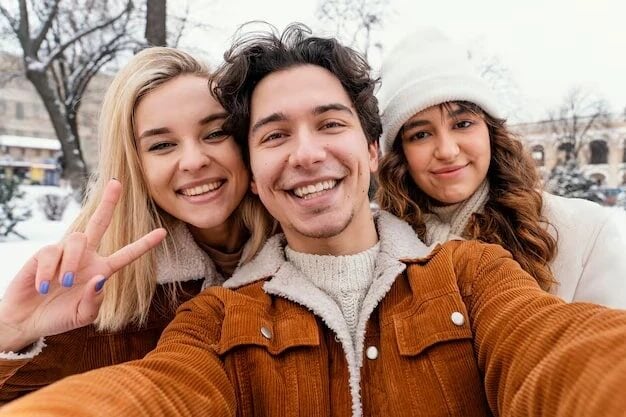

You’ve probably seen it a thousand times: a group photo that’s almost perfect, but something feels off. Sometimes it’s not the smiles or the background – it’s the clothes. Clothing harmony can dramatically change how a group photo looks, giving it a polished, cohesive vibe. Even small wrinkles or mismatched tones can distract the eye from the people themselves.
It’s not just about style – it’s about balance. Using RetouchMe Video and Photo Editor to remove minor distractions like stains or stray threads can make a massive difference. Suddenly, everyone’s outfit works together, and the image looks intentional rather than accidental.
Picking Outfits That Work Together
Before snapping the photo, think of the group as a single visual unit. Here’s how to create harmony without everyone wearing identical clothes:
- Coordinate colors but don’t match exactly. Choose a palette of two to three complementary tones. This ensures no single outfit dominates the frame, and your eyes flow naturally across the image.
- Mind the textures and patterns. Busy patterns can clash if overused. Keep one patterned outfit per photo or balance it with solid colors to prevent chaos.
- Fit and neatness matter. Wrinkles, oversized sleeves, or ill-fitting pieces can distract. Even subtle adjustments like rolling sleeves or tucking in shirts can elevate the shot.
- Layer strategically. Jackets, scarves, or accessories should enhance, not overwhelm. Stick to one bold item per person for a subtle but stylish boost.
- Check the small details. Buttons, collars, and hems might seem minor, but uneven elements are noticeable in high-resolution shots.
When everyone follows these small guidelines, the group photo feels balanced and visually pleasant. If you spot a stray stain or wrinkle, RetouchMe can fix it quickly, ensuring the final image is flawless.
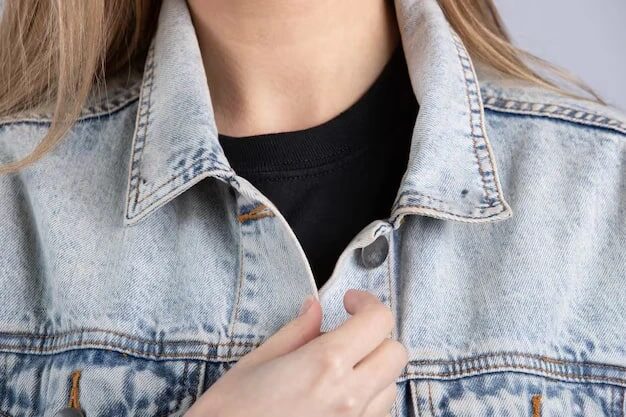
Quick Tips for Looking Consistent
Even if the outfits are coordinated, the overall impression can be off without attention to detail. Here’s what to keep in mind:
- Stand or sit at varying heights to create visual interest. Taller people don’t always have to be at the back, and a slight stagger can prevent flat lines.
- Pay attention to posture. Straight backs and relaxed shoulders create natural confidence, while slouching or uneven stances can make even the neatest clothes look messy.
- Plan for natural movement. Hands, gestures, and subtle shifts help the group look lively rather than stiff.
Small adjustments here can transform a decent group shot into something that feels professional without feeling staged.
Even with coordinated outfits and careful posing, little imperfections can ruin the overall effect. Wrinkles, tiny stains, or stray hairs draw attention away from the smiles and interactions. Using a tool like RetouchMe helps remove these distractions without affecting the natural feel of the image. The service works seamlessly on both iPhone and Android, letting you polish photos in minutes.

0 Comments